
Building a powerful online presence doesn’t require a massive corporate budget. In fact, many of the most successful campaigns are built using agile, cost-effective software. If you are just starting out, navigating the software landscape can feel overwhelming, but you can achieve exceptional results without spending a dime.
By leveraging the right free digital marketing tools, you can optimize your website, design stunning visuals, and automate repetitive tasks. This curated checklist highlights the exact platforms we rely on daily to streamline workflows, scale organic traffic, and maximize efficiency.
The Ultimate Checklist: 10 Essential Free Digital Marketing Tools
1. Google Analytics 4 (GA4)
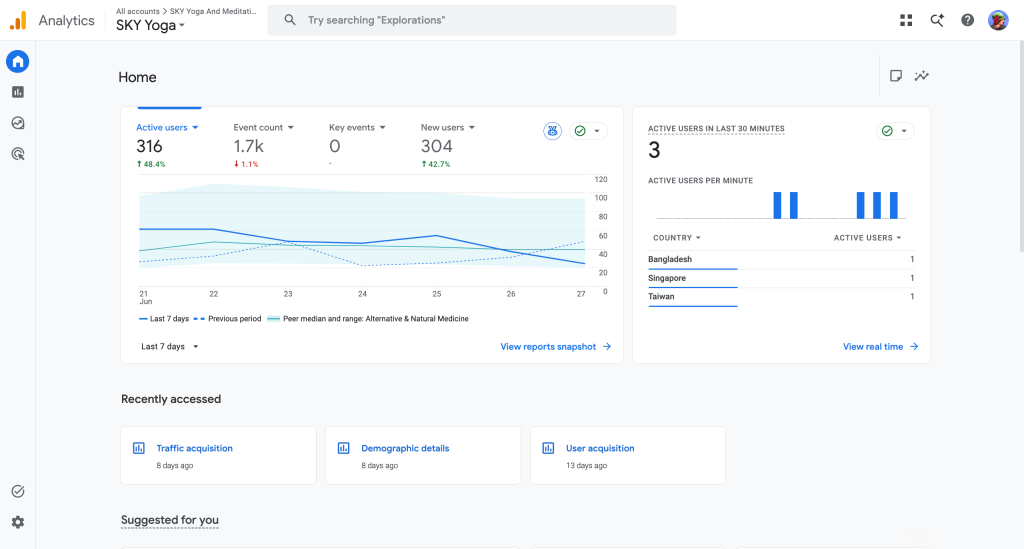
Understanding user behavior is the foundation of any successful strategy. GA4 is the gold standard for tracking website performance, allowing you to see exactly where your traffic comes from and how users interact with your pages.
- Why we use it: It provides deep insights into user journeys and conversion paths.
- Pro Tip: Set up custom event tracking early so you can measure specific actions, like button clicks or form submissions.
2. Google Search Console
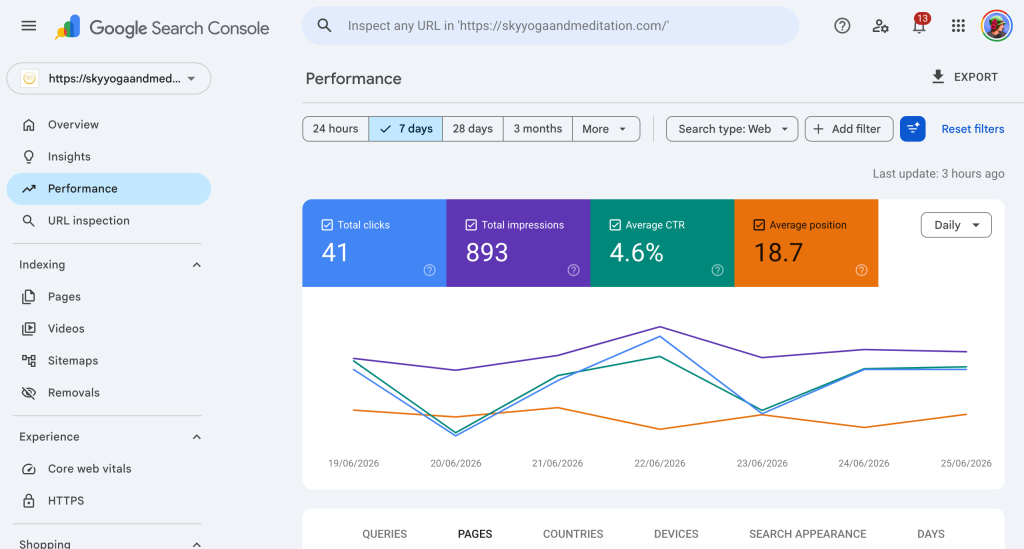
If you want your business to be discovered on search engines, Google Search Console is non-negotiable. This tool monitors your website’s health, tracks keyword rankings, and alerts you to technical indexing errors.
- Why we use it: It shows the exact search terms people use to find your site, making it one of the most practical free digital marketing tools for SEO research.
- Pro Tip: Use the “Performance” report to identify pages that have high impressions but low click-through rates, then optimize their titles and meta descriptions.
3. Canva
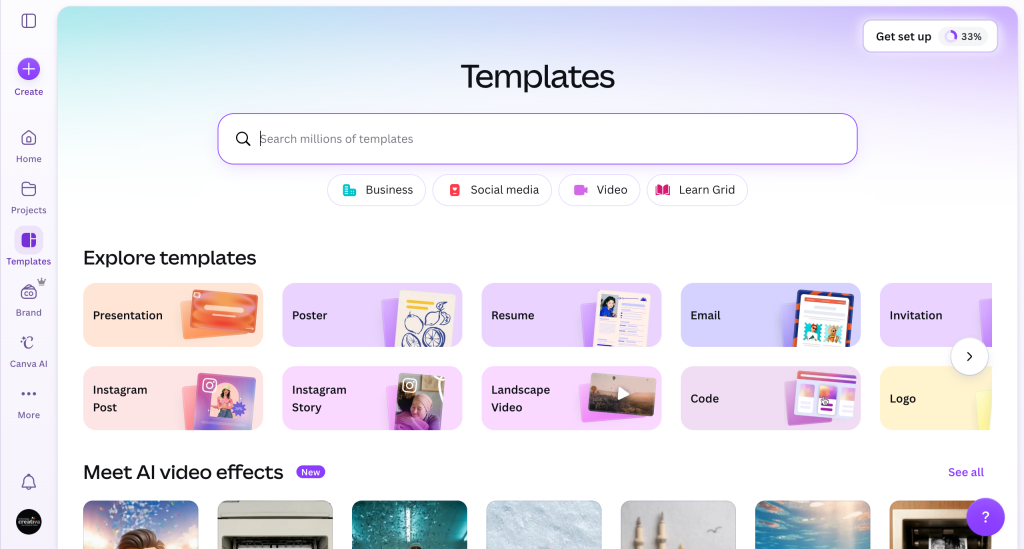
High-quality visuals are critical for social media, blogging, and advertising. Canva democratizes graphic design with a drag-and-drop interface and thousands of professional templates.
- Why we use it: It allows us to rapidly prototype social media graphics, blog banners, and presentation decks without waiting on a dedicated design team.
- Pro Tip: Build a dedicated folder for your brand assets (logos, hex codes, fonts) to keep your visual outputs completely consistent.
4. AnswerThePublic
To write content that resonates, you need to know what your audience is actively searching for. AnswerThePublic generates a visual map of the questions, comparisons, and search phrases people type into search engines.
- Why we use it: It takes the guesswork out of content creation by uncovering long-tail search queries.
- Pro Tip: Use the “Why” and “How” question clusters to structure the H2 and H3 subheadings in your next blog post.
5. Mailchimp (Free Tier)
Social media algorithms change constantly, but your email list is an asset you own completely. Mailchimp’s free plan allows beginners to capture leads, manage a subscriber list, and send beautifully designed newsletters.
- Why we use it: It provides a seamless entry point into email marketing and automated welcome sequences.
- Pro Tip: Set up an automated tags workflow to segment subscribers based on where they signed up, ensuring they receive highly targeted emails.
6. Buffer
Managing multiple social media channels can easily consume your entire day. Buffer simplifies this by allowing you to schedule posts in advance across various platforms from a single dashboard.
- Why we use it: It helps maintain a consistent publishing cadence without requiring daily manual updates.
- Pro Tip: Spend two hours over the weekend scheduling your entire social calendar for the upcoming week to free up deep-work time.
7. Notion
A successful digital strategy requires flawless organization. Notion acts as a customizable workspace where you can manage content calendars, store brand assets, track project milestones, and organize copywriting frameworks.
- Why we use it: It serves as our central operational hub, keeping all campaign details organized in one place.
- Pro Tip: Use a database view to track the lifecycle of your articles, from the initial ideation phase all the way to publication and distribution.
8. Ubersuggest
Keyword research doesn’t have to carry a hefty price tag. The free version of Ubersuggest provides essential data on search volume, keyword difficulty, and competitive analysis.
- Why we use it: It is one of the most user-friendly free digital marketing tools for quickly vetting content ideas and checking domain authority.
- Pro Tip: Look for keywords with a search volume over 500 and a low SEO difficulty score to find easy-to-rank organic opportunities.
9. Yoast SEO (or Rank Math)
Writing great content is only half the battle; search engines also need to understand it. As a WordPress plugin, Yoast SEO acts as an interactive checklist, guiding you through readability improvements and technical optimization.
- Why we use it: It ensures every page is structurally sound, handling everything from XML sitemaps to meta tags.
- Pro Tip: Don’t obsess over getting every single green light; focus primarily on natural readability and accurate keyword placement.
10. CapCut
Video content dominates modern engagement metrics. CapCut offers an incredibly robust, free video editing interface perfect for creating short-form vertical videos like Reels, Shorts, and TikToks.
- Why we use it: Its intuitive timeline, automated captions, and seamless transitions allow for rapid mobile video editing.
- Pro Tip: Keep your videos engaging by utilizing the auto-captions feature, as a significant portion of social media users watch videos with the sound turned off.
Designing Your Tech Stack for Longevity
When you are first starting out, it is easy to assume that expensive software guarantees success. However, the true value lies entirely in your execution and strategy. By combining these free digital marketing tools, you can establish a robust, integrated workflow that scales alongside your business.
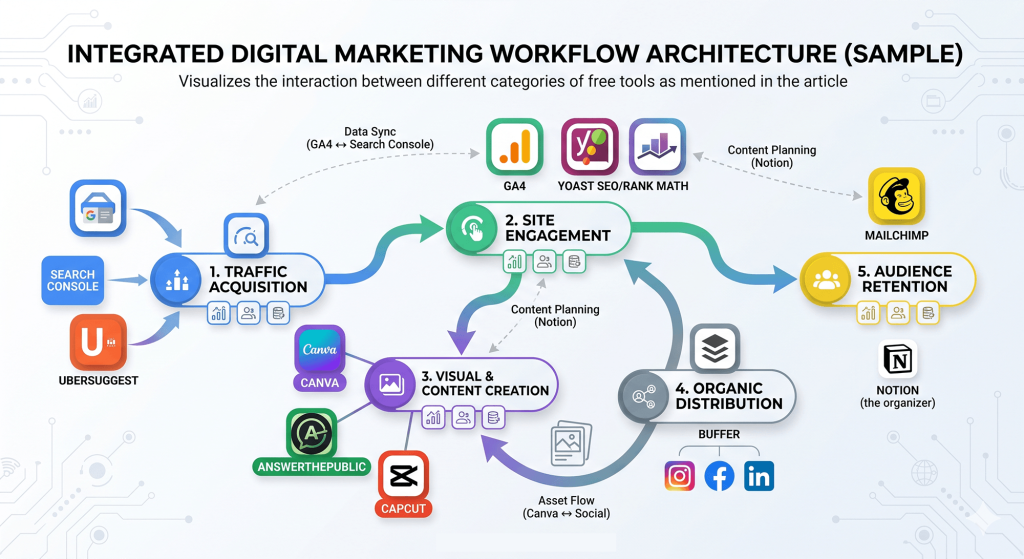
(Note: To visualize how these platforms interact, create a diagram showing how traffic flows from Search/Social [tracked by Search Console & Buffer] to your Website [monitored via GA4 & Yoast], and finally into your Email List [managed via Mailchimp]).
As you look up these platforms to take your screenshots, pay close attention to how they integrate with one another. For example, connecting Google Analytics to Google Search Console unlocks advanced data directly within your dashboard, saving you from constantly switching tabs.
3 Rules for Getting the Most Out of Free Software
To ensure these platforms truly drive growth for your business, keep these core principles in mind:
- Prioritize Data Cleanliness: Set up your tracking software correctly from day one. Inaccurate data in GA4 leads to flawed strategic decisions later on.
- Avoid Tool Fatigue: You do not need to log into twenty different platforms every morning. Pick a core selection of free digital marketing tools that serve your immediate goals and master them completely before adding more to your routine.
- Focus on Consistency Over Complexity: A simple, well-maintained content calendar in Notion will always outperform a complex paid project management system that your team avoids using.
By mastering these essential, accessible platforms, you will build a solid operational foundation. You don’t need a massive enterprise budget to compete online—you simply need the right strategy, a consistent execution plan, and the right toolkit to bring it all together. No time to do your own digital marketing even there are bunch of free tools? Don’t worry! Technologia Creativa will do it for you!